AI App Guides
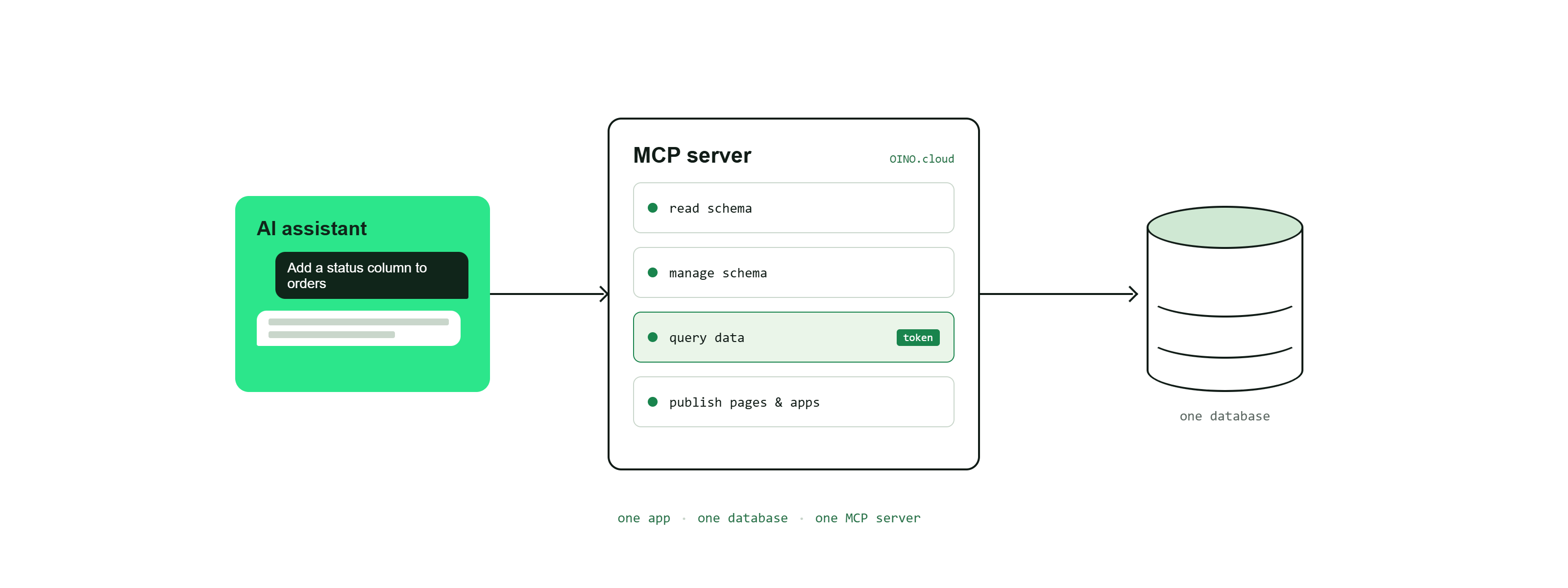
An MCP server (Model Context Protocol) is the endpoint an AI assistant connects to in order to work with your OINO.cloud data. Through it the assistant can inspect and change the database schema, read and write the data over tokens, and publish pages and apps — using the same secure REST APIs you would use yourself.
One app = one database = one MCP server
Bind each MCP server to a single database. The server id in the connection URL identifies that one database, so the AI never has to guess which data it is working with. Keeping one app, one database and one MCP server together keeps the assistant's context clear and focused: it sees exactly the tables, tokens, pages and roles that belong to that app and nothing else. Splitting unrelated data into separate databases — each with its own MCP server — gives the AI cleaner context and reduces the chance of it touching the wrong data.
Creating an MCP server
- Navigate to MCP Servers.
- Select Create MCP Server.
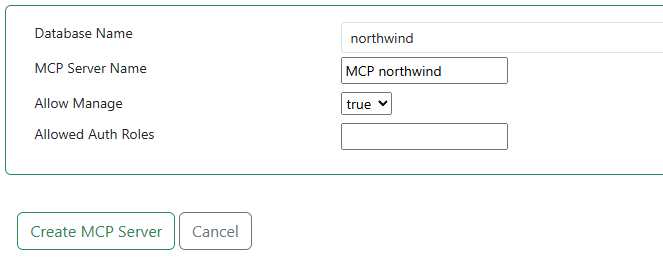
- Enter the MCP server settings.
- Name: A recognisable name for the server.
- Database: The single database this server is bound to (fixed once created).
- Allow Schema Manage: Enables the tools that change the database schema (create/drop tables and columns) and that publish pages, apps, roles and token roles. Leave it off for an inspect-only server.
- Allow Data Manage: Lets the AI write data. When on, tables also get a full-CRUD token and the AI is given those tokens; when off, the AI only sees read-only tokens.
- Allowed Auth Roles: Optional roles that may connect with a personal OAuth login instead of the shared bearer token.
- Active: Whether the server accepts connections (when editing).
- Submit and copy the connection URL and the Bearer token into your AI assistant's MCP configuration. The URL only identifies the server; the AI authenticates with an
Authorization: Bearer <token>header, or by completing the OAuth login if you allowed roles for it.
What the AI can do through the server
Once connected, the assistant works with the same building blocks documented in the rest of these guides:
- Schema: list tables, read a table's columns, and create or drop tables and columns. Creating a table automatically publishes its REST data API with a read-only token, plus a full-CRUD token when the server allows data management. Tables created outside OINO.cloud (by your application's own migrations or an import) get their APIs and tokens when the AI runs
provision_database. - Data: list the ready-to-use data-API URLs and their allowed HTTP methods, then read (and, if allowed, write) the actual rows over those tokens. The AI can also checksum, snapshot and diff the whole database, which is what the Migration guides build on.
- Logs: read your subscription's recent API logs (up to one week) for troubleshooting.
- Roles: require login on a token so only authorised users reach the data behind it.
- Pages & Apps: publish HTML pages and combine them behind a shared login as an authenticated app.
Note: anyone holding the server's bearer token has the rights you granted the server. Enable Allow Schema Manage and Allow Data Manage only where needed, and keep the token secret.