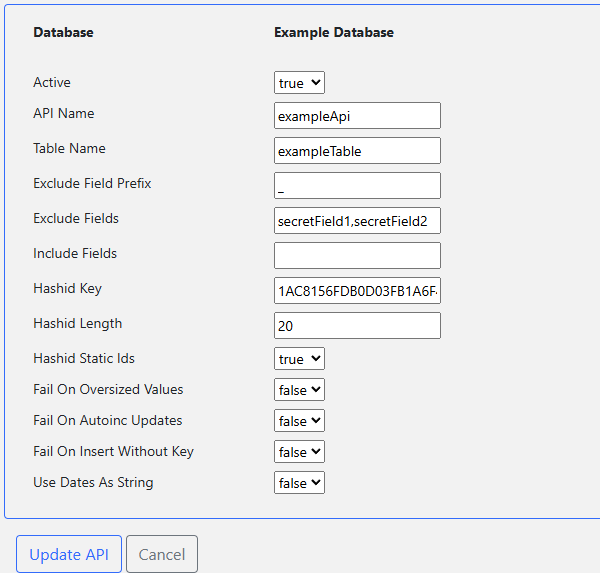
- Navigate to Apis
- Select Create API
- Enter API Settings
- Database: Select one of your databases (when creating).
- Active: Whether API is active (when editing).
- Api Name: Name of the API.
- Table Name: Name of the database table.
- Field Exclude Prefix: Exclude database fields with given prefix.
- Exclude Fields: Comma separated list of database fields to exclude (rest will be included).
- Include Fields: Comma separated list of database fields to included (rest will be excluded).
- Hashid Key: AES key used for encoding/decoding hashids (16 byte hexstr).
- Hashid Length: Minimum length of the generated hashids (12-40 characters).
- Static Hashids: Whether hashids should remain static between requests.
- Fail On Autoinc Updates: Fail if trying to set an autoinc database field (result of ignoring debends on the database).
- Fail On Oversized Values: Fail if trying to enter longer values than the database field can contain (result of ignoring debends on the database).
- Fail On Insert Without Key: Fail if trying to insert row without a primary key value (result of ignoring depends on the database).
- Use Dates As String: Whether date fields should be treated as text without date format parsing.
- Submit